Time Controls for Memory
This Week in Hashcards App
A weekly look at what’s new in Hashcards app; the design decisions, the tradeoffs, and what actually changed. Until now the review schedule only played in one direction, at one speed. This week it gets transport controls: pause it for a vacation, fast-forward tomorrow’s reviews into today before an exam, push a backlog further out, or rewind the entire review history and replay it through FSRS for a fresh schedule.
The Transport Bar
There are four tools, they become handy when life gets in the way of reviewing: a vacation coming up, an exam tomorrow, a pile of overdue cards after a week away. Each tool covers one of those situations, and each one shows what it’s about to do before it does it.
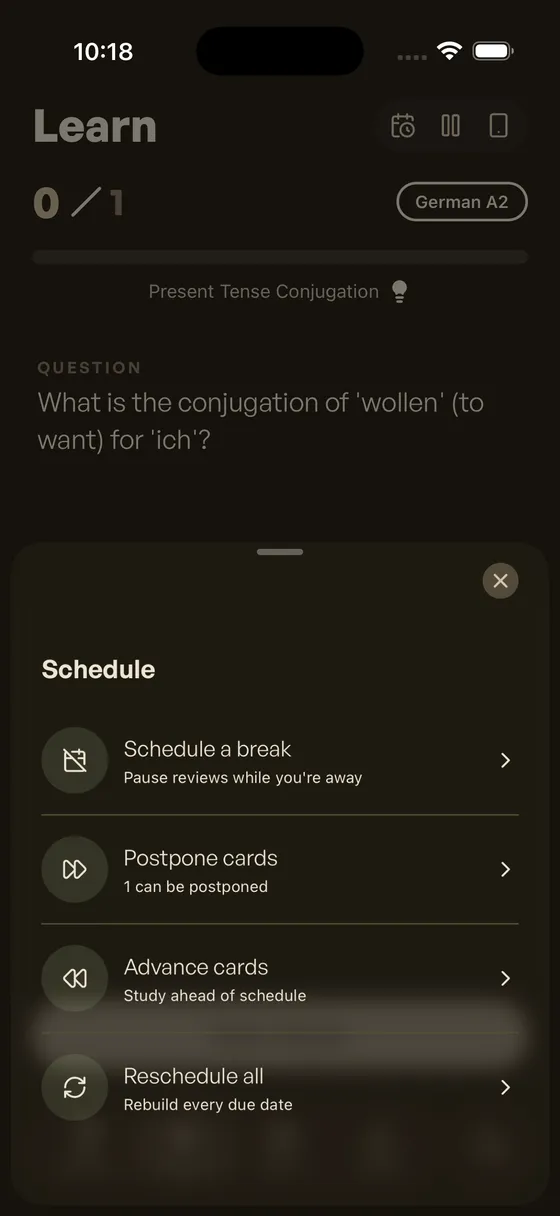
The Transport bar
Postpone & Advance
Postpone moves cards that are due today to later days. Advance does the opposite: it pulls cards that aren’t due yet into today, which helps when a test is coming and waiting isn’t an option.
Neither asks you to type a number. There are three choices — Safest, Half, or All — and the sheet shows how much each one would affect your memory before anything happens. Not all cards cost the same to move, so the ones that can move almost for free go first. The ordering comes from the FSRS-Helper project, the same logic Anki users rely on.
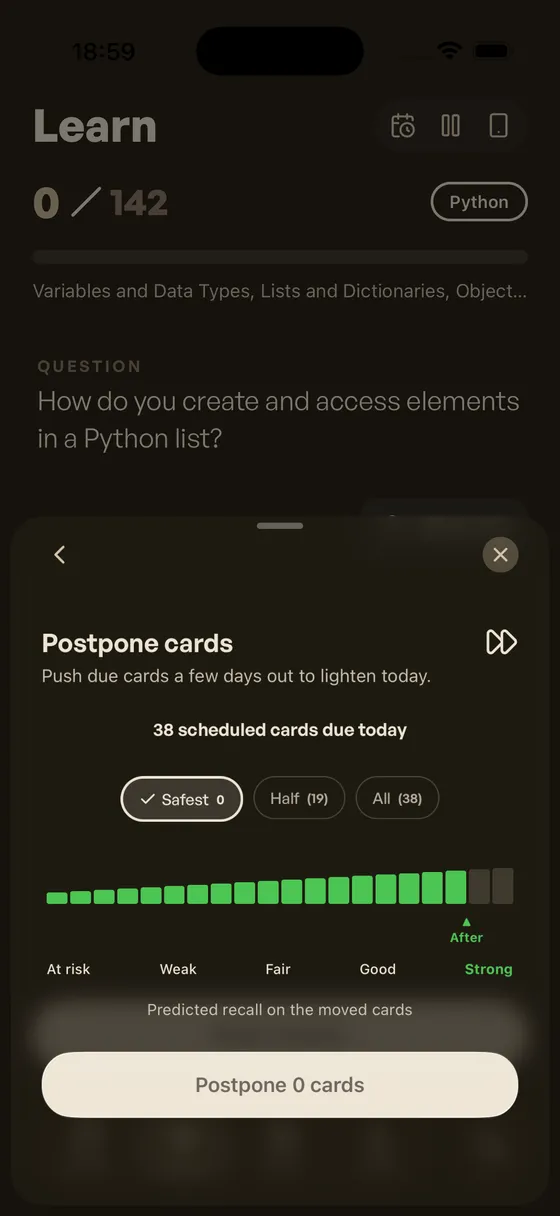
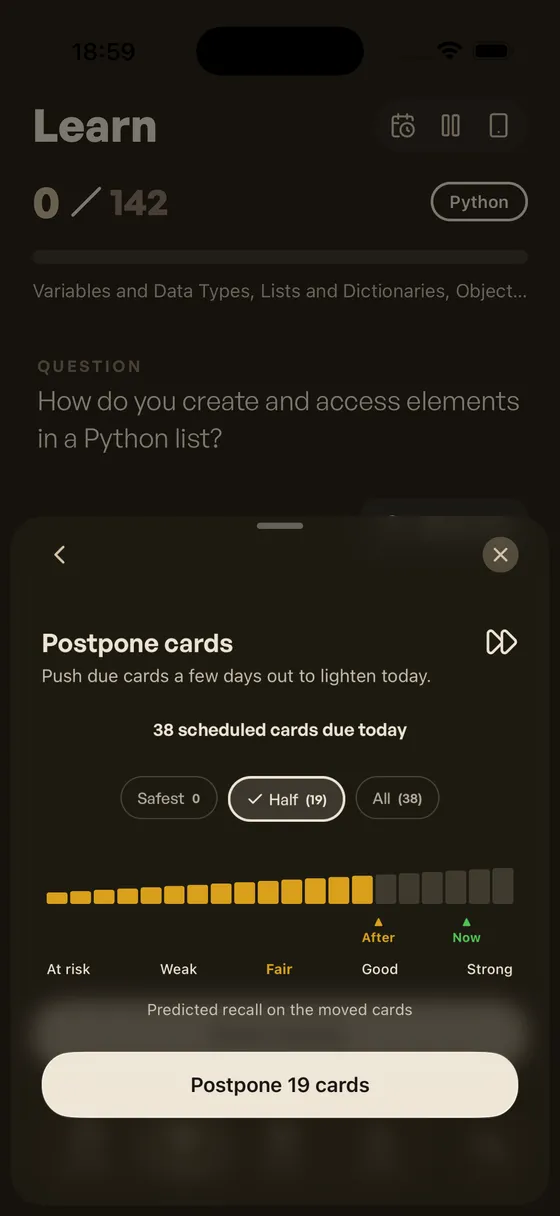
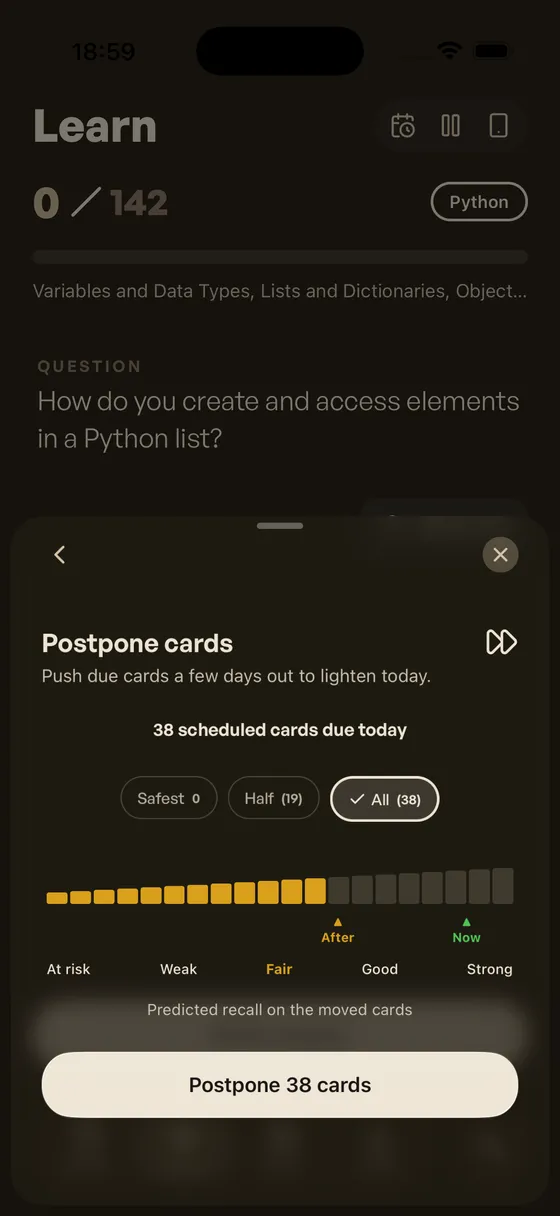
Postpone — pick a size, see the cost, confirm
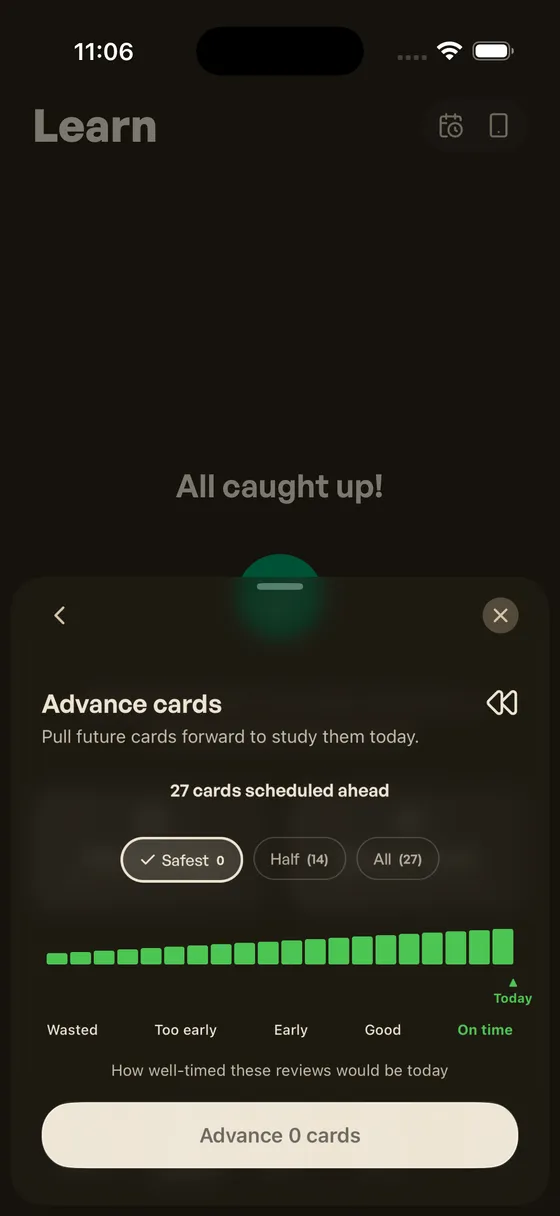
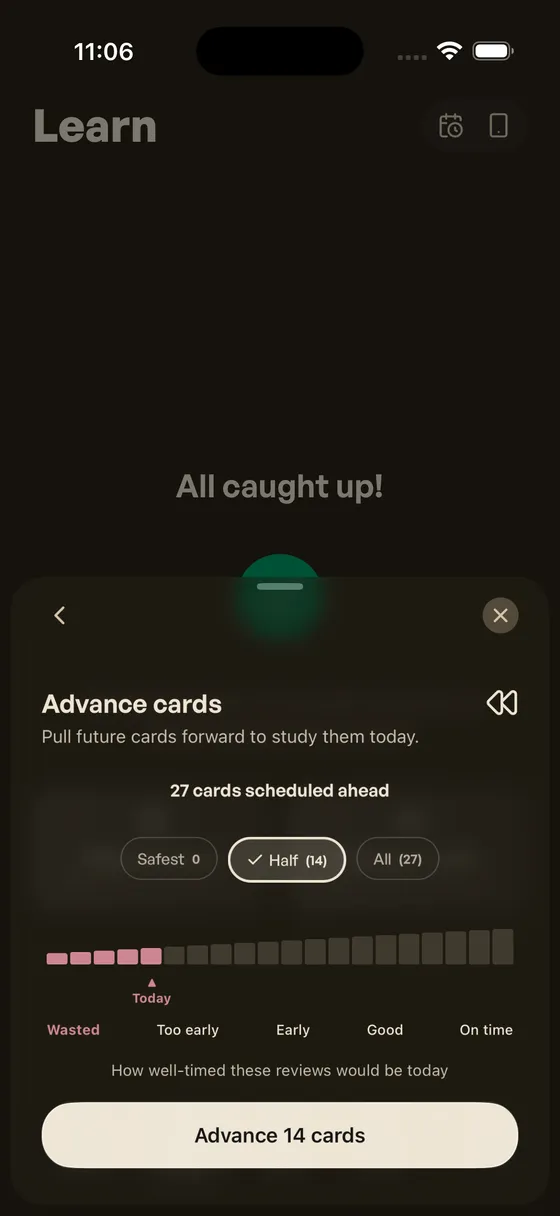
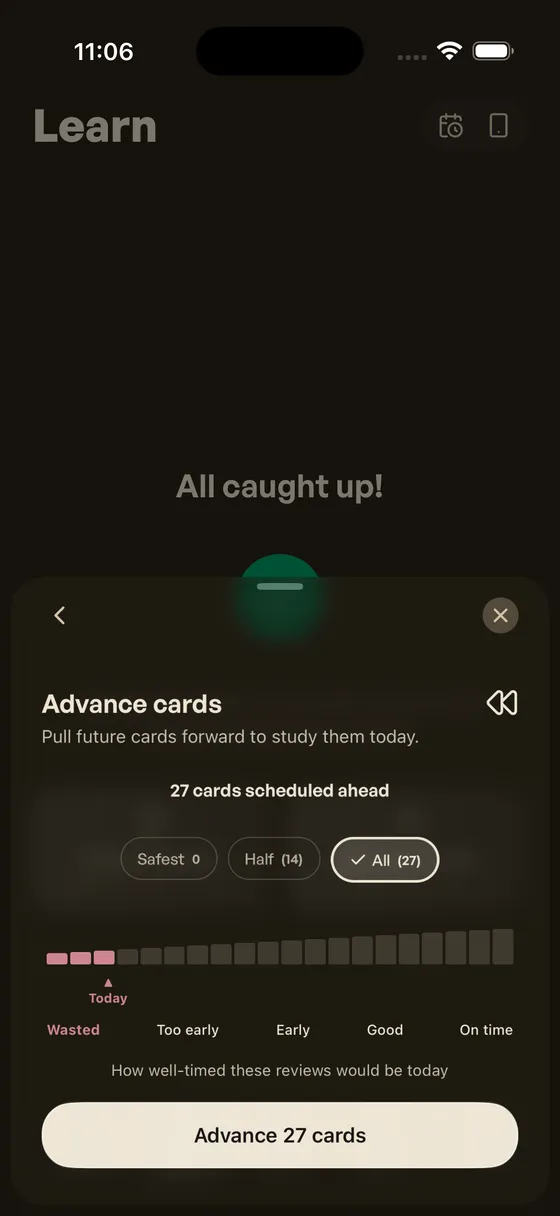
Advance — pull future cards in, watch the timing
Schedule a Break
Pick your first and last day off, and every card that would land in that window moves to the days after you return — load-balanced so no single day gets buried, each card placed as close to its original date as possible. If the break starts today, overdue backlog is swept along too, so you leave with a clean slate.
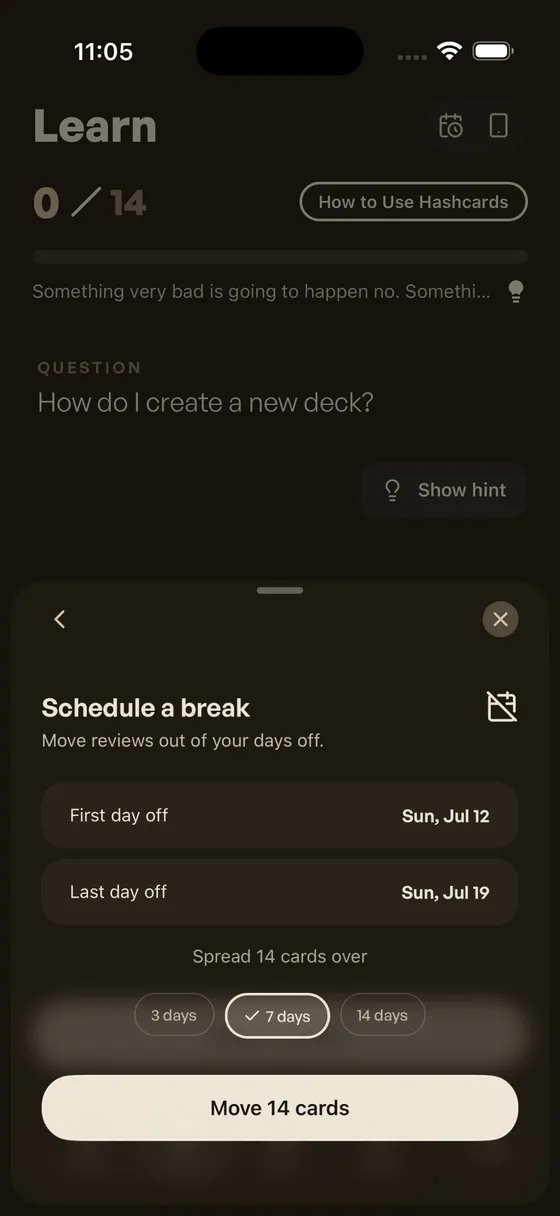
Schedule a Break — pause without the pile-up
Reschedule All
The escape hatch. Reschedule All replays your entire review history through FSRS and recalculates every due date from scratch — the same native reschedule that powers the desktop FSRS ecosystem. Changed your mind after postponing too much? This puts every card back where your actual history says it belongs. It only writes the cards whose dates actually change.
All four tools act on reviewed cards only. New cards have no schedule yet — there’s nothing to move until you study them once.
Also This Week
- Answer Challenge — optional multiple-choice check before grading, so you verify recall instead of just nodding along.
- Search tab — a native search tab for finding any card or deck instantly.
- Profile, reorganized — one calm hub with your account up top and four categories (Study, AI & Usage, Data & Backup, Feedback) instead of a wall of settings.
- Design polish — refreshed tokens, a single rotating state badge on deck rows instead of stacked chips, and one shared shimmer treatment for hero buttons.
Try This Week
-
Before your next weekend off, open the Schedule hub and schedule a break — come back to a spread-out queue instead of a wall of overdue cards.
-
On a heavy day, try Postpone → Safest and watch the retention-impact line: moving the right cards costs almost nothing.
What’s Next
At Hashcards app, the focus is to stay up to date with FSRS improvements, and make every addition intuitive for mobile users. The following is what’s planned next. Some will take time, as getting the details right while keeping things simple takes iteration.
-
Easy Days — lighter load on the days you pick, using each card’s fuzz range.
-
Load Balance — evenly distributed daily reviews when rescheduling.
-
Disperse Siblings — spread cards generated from the same note apart, so they stop reminding you of each other.
-
Flatten — cap future reviews per day and spread the overflow forward.
Hashcards: Knowledge that stays. Build cards. Then remember them.